

Find the market with the right breakout structure, build a strategy without code, and add it to TradingView as a Pine Script strategy. Every strategy's tested on data it never saw before it reaches your chart.
The creators of BreakoutOS have been featured on
















The research happens in BreakoutOS. The finished strategy lands in TradingView as a Pine Script strategy you can add to any chart and check in the Strategy Tester.
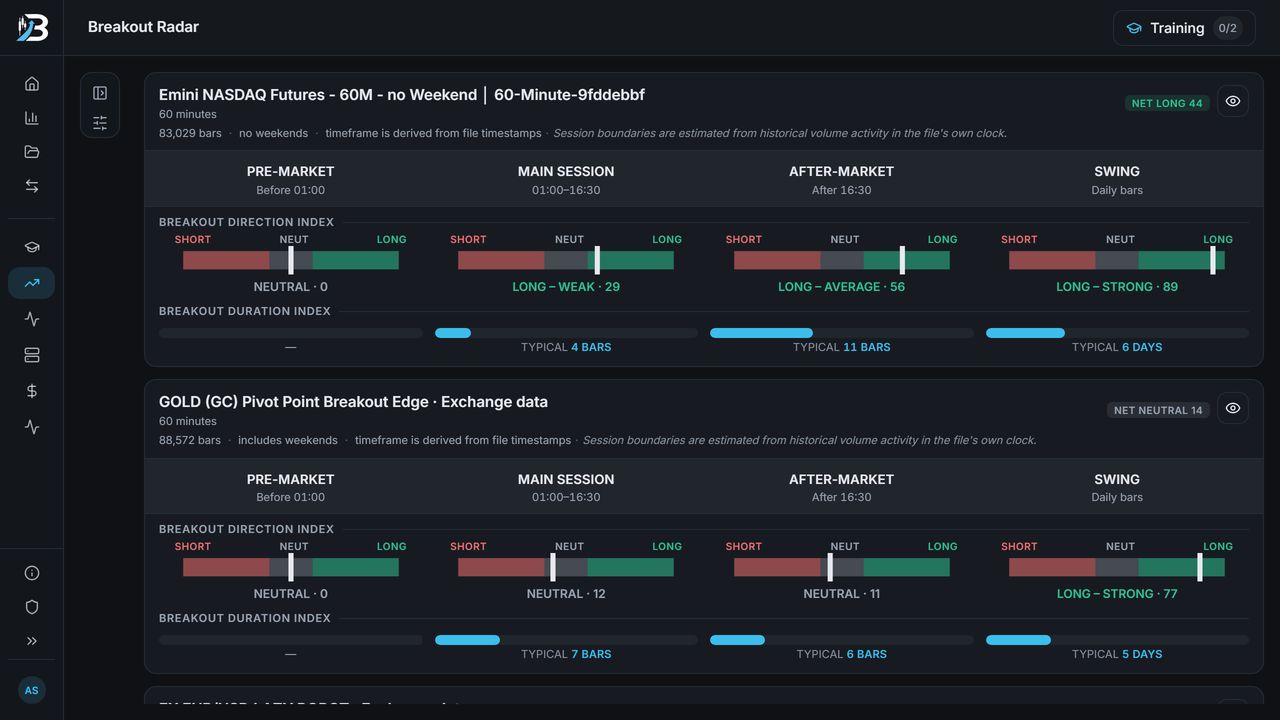
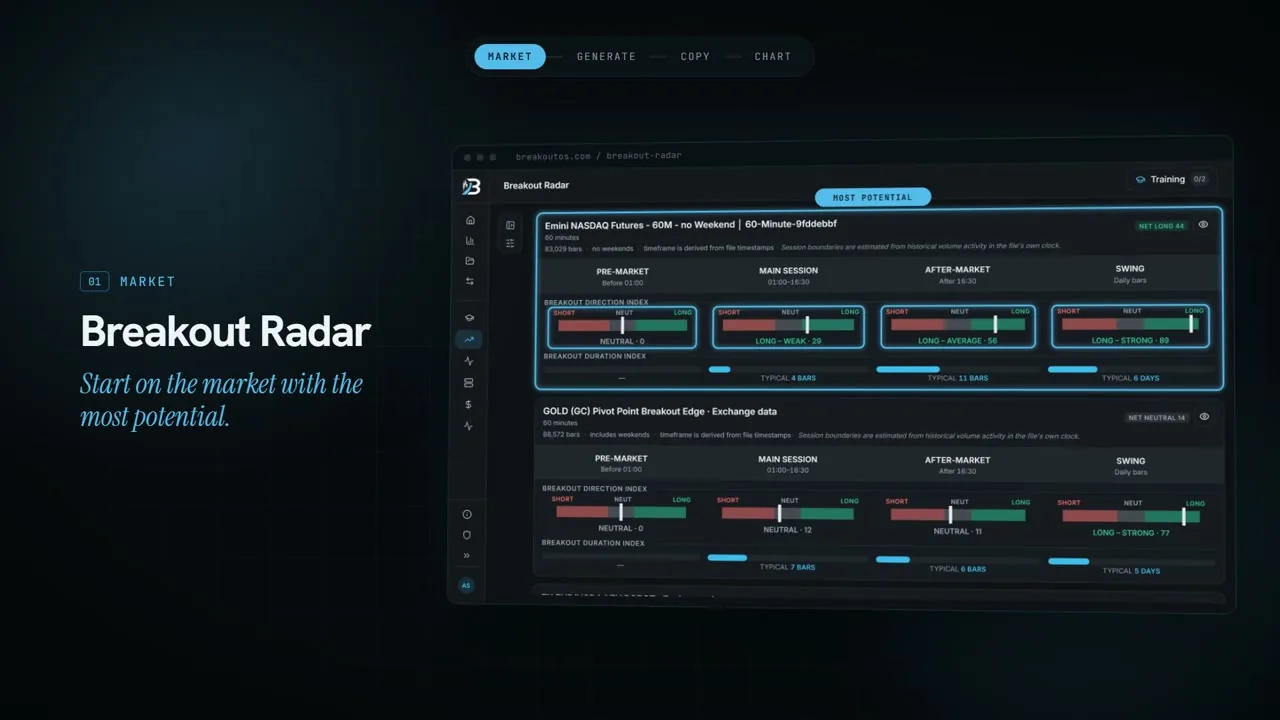
Breakout Radar scores each session of a market for breakout direction and how long breakouts typically last, so you start where the structure's there.
 Hypothetical backtest
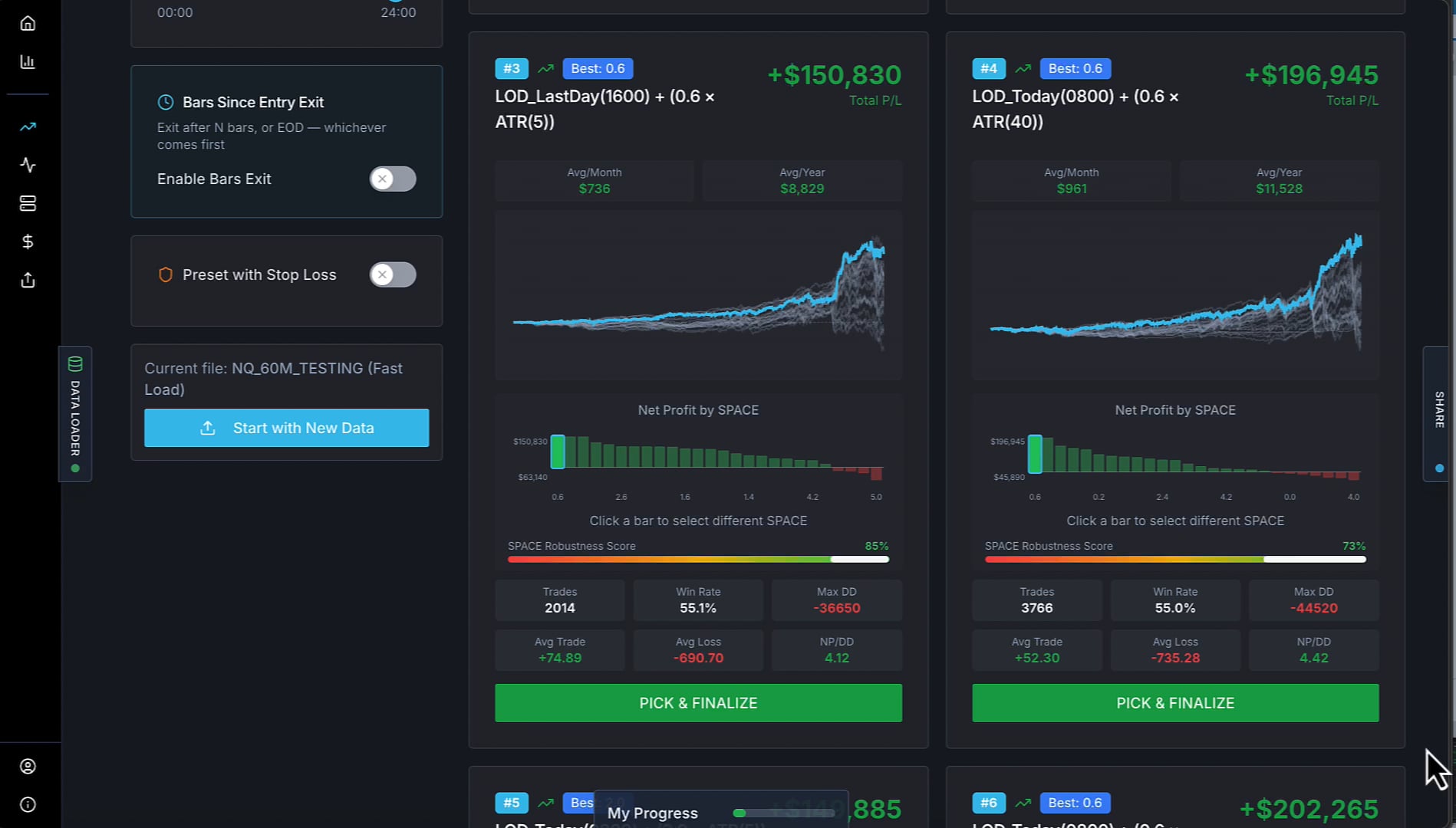
Breakout Trading PRO builds and tests breakout strategies for that market, point-and-click, using the Mr Breakouts Formula. Pick the one you want to take further.
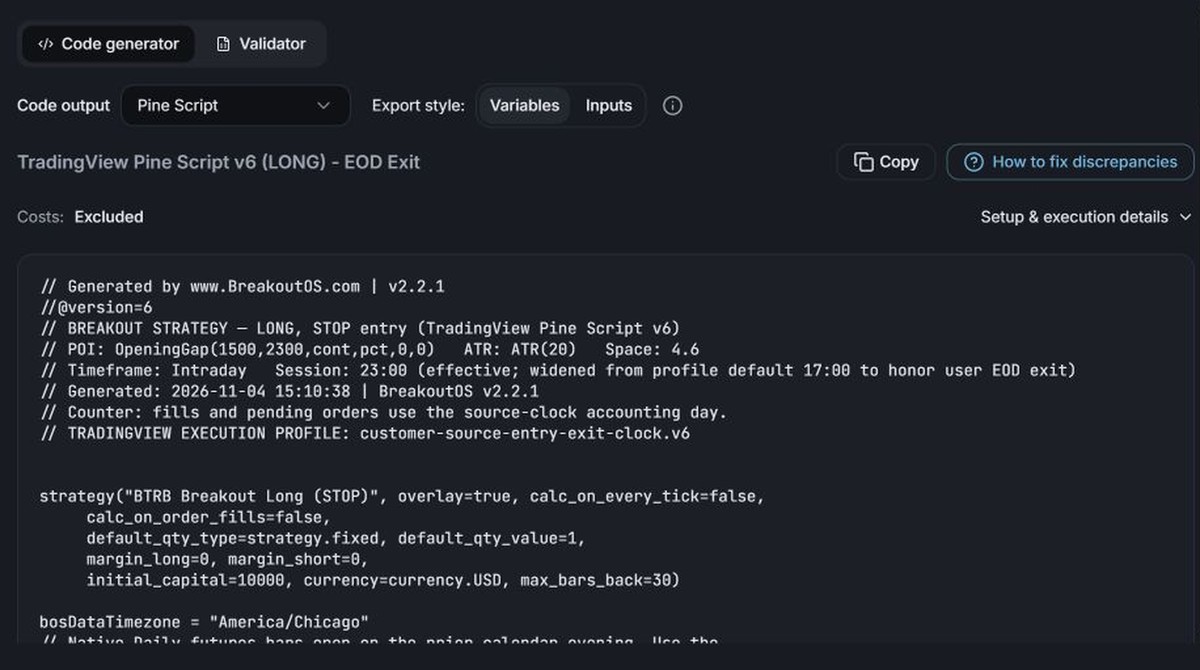
The export writes the whole strategy in Pine Script, entries, exits and filters included. The header tells you which chart timezone and session settings to match.
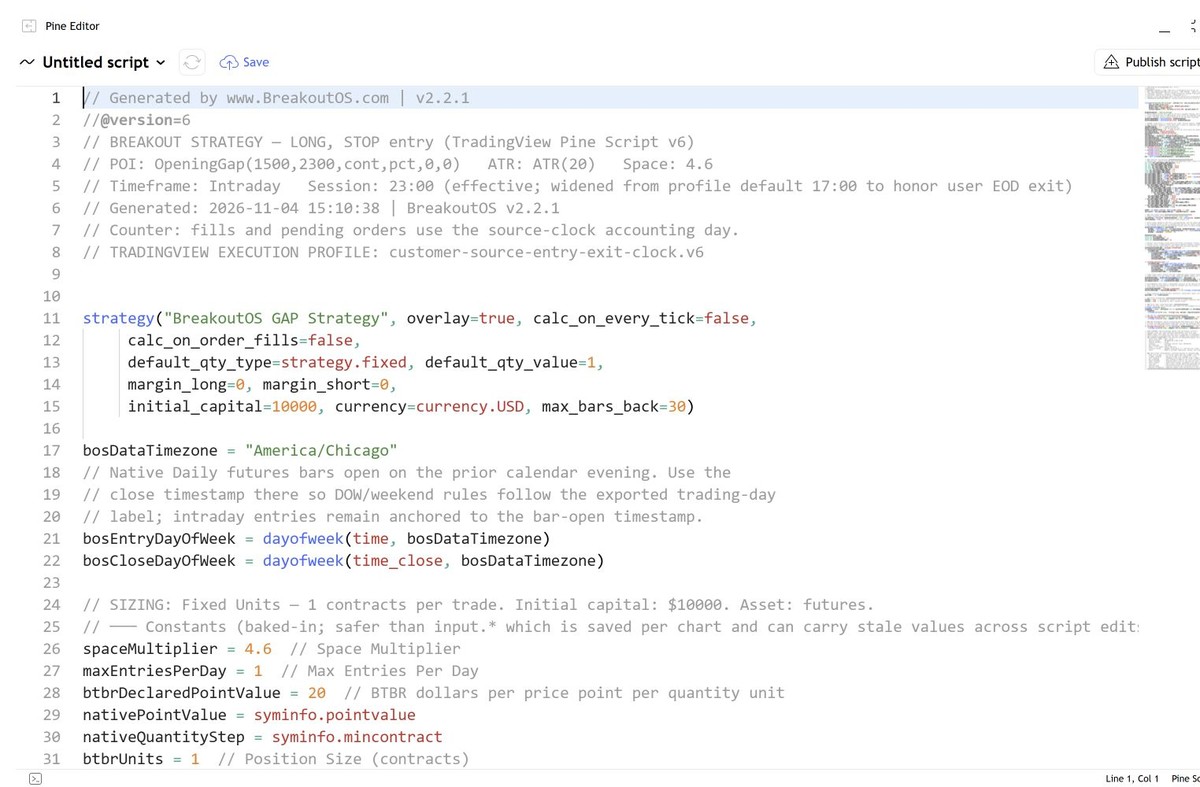
Paste it into the Pine Editor, save it and add it to a chart. It shows up in the Strategy Tester like any strategy you'd written yourself.
4 quick questions. Then you'll see which BreakoutOS tools fit how you trade, and what to do next.
One strategy, backtested in BreakoutOS, then exported and backtested again in TradingView's Strategy Tester. The Pine Script export reproduces the BreakoutOS results closely, so the strategy you researched is the one on your chart.
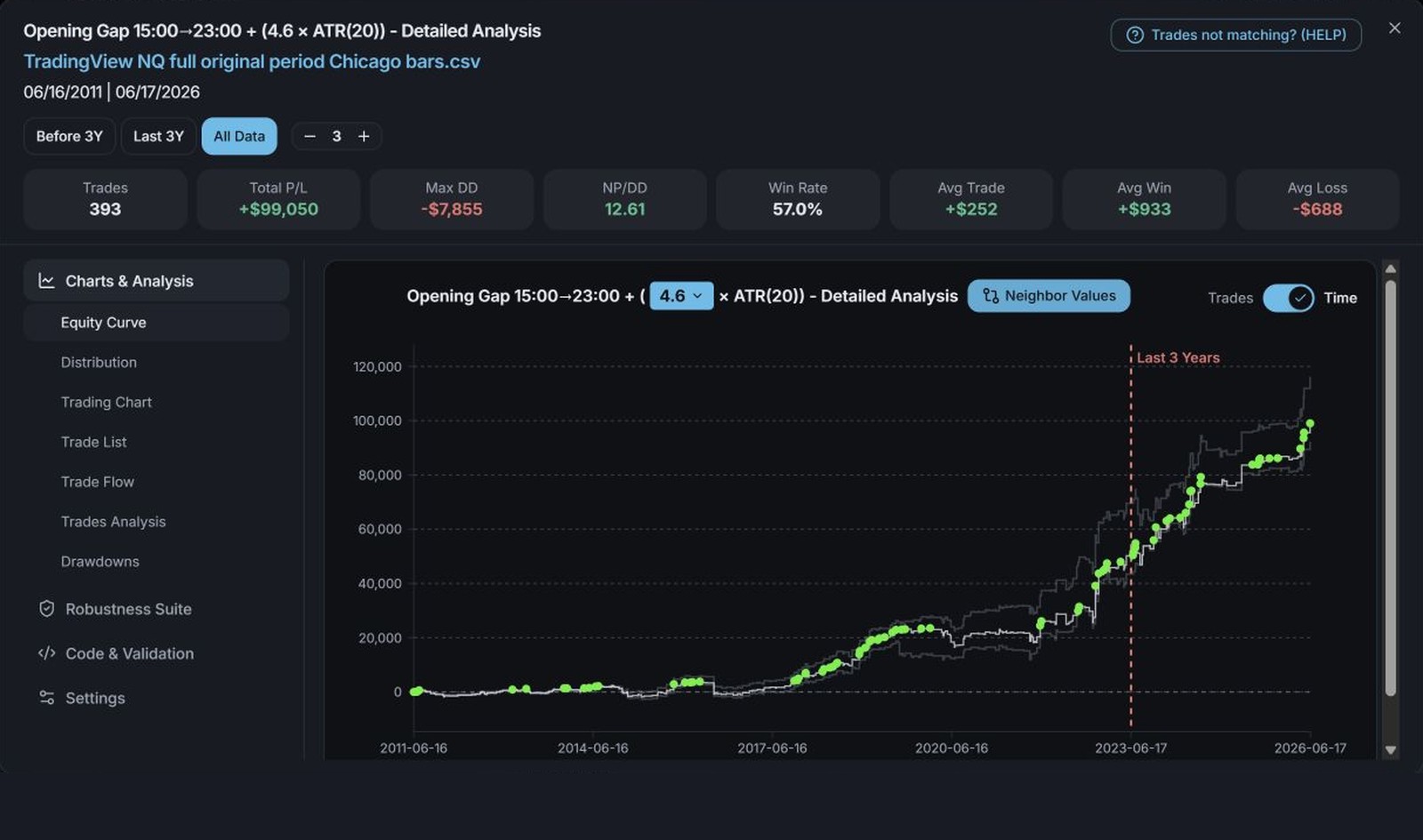 Hypothetical backtest
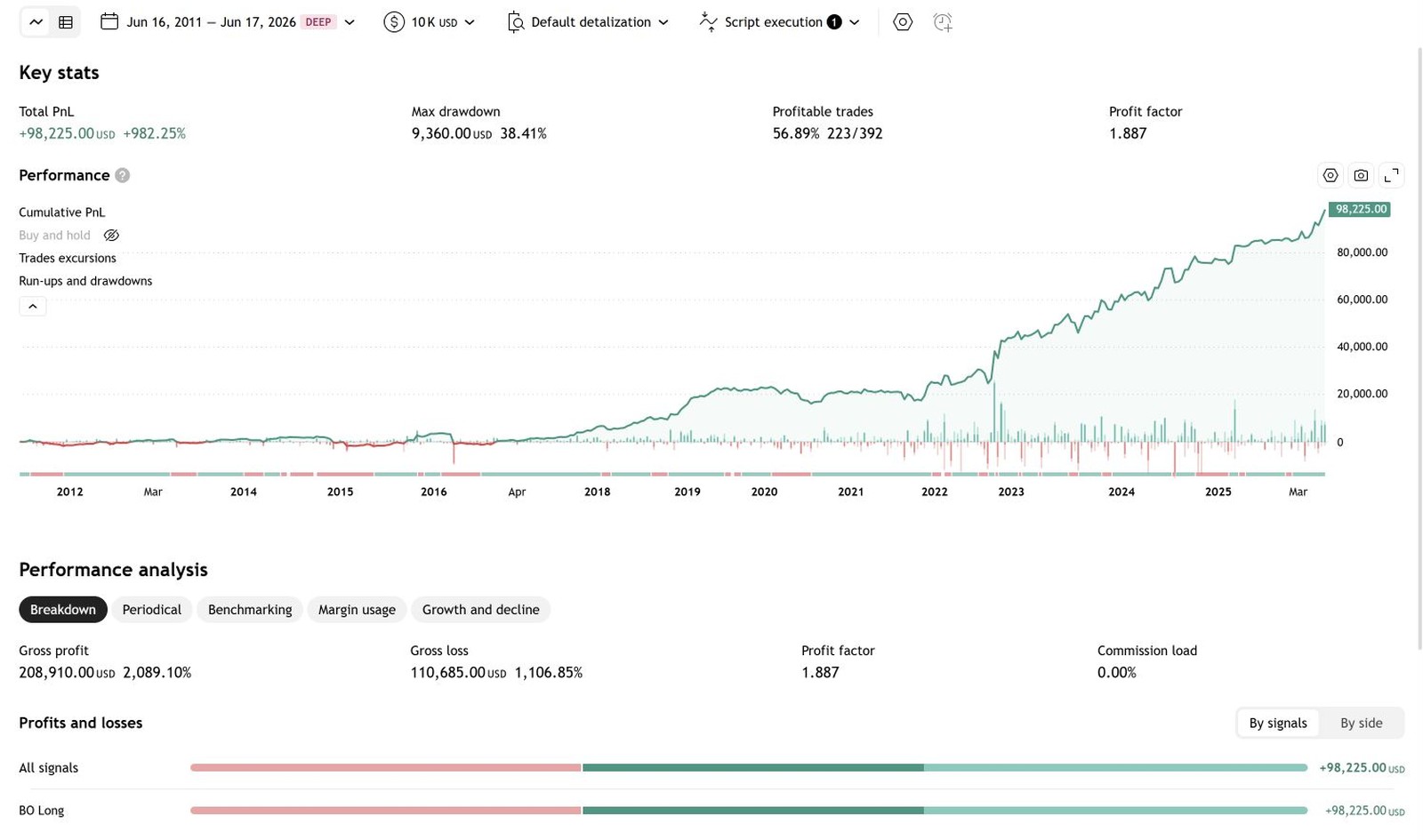 Hypothetical backtest
| Measure | BreakoutOS | TradingView |
|---|---|---|
| Trades | 393 | 392 |
| Win rate | 57.0% | 56.9% |
| Average trade | +$252 | +$251 |
| Net profit | +$99,050 | +$98,225 |
389 of the 393 trades match exactly. The other four come from three Thanksgiving-week early closes: TradingView holds those trades into the next session, while BreakoutOS exits at the early close and takes one extra trade. Both sides ran on TradingView's own NQ data, so the totals differ from our other platform pages. Hypothetical backtest results on both sides, not live trading. See the Hypothetical Performance Disclosure at the foot of this page.
The entry, the exit and the filters you tested in BreakoutOS, written out as a Pine Script strategy.
Session and timezone settings are spelled out in the code header, so the trades land on the same bars.
Small gaps can still come from your chart's data or the strategy's properties in TradingView. There's a guide inside BreakoutOS for tracking them down.
Maybe you wrote them in Pine yourself, or picked them up from the community scripts. A nice-looking backtest doesn't prove much, so import them into BreakoutOS Scale and put them through four tools.
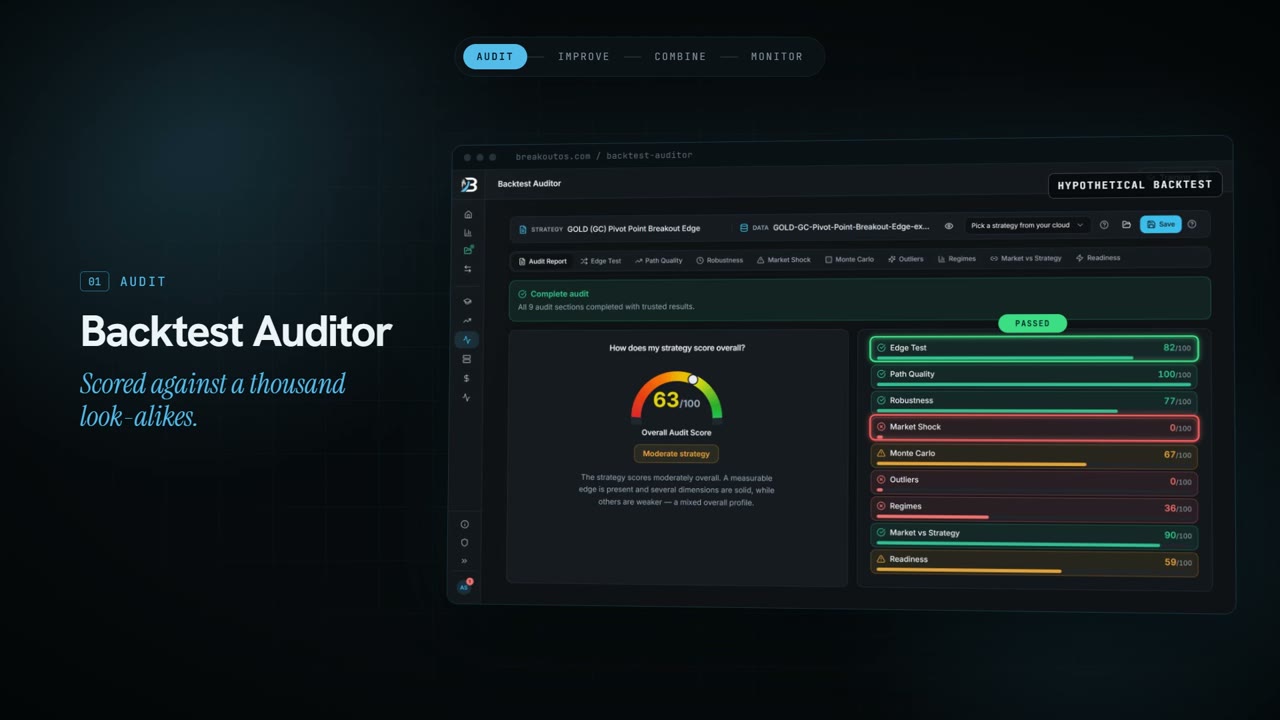
Scores your strategy against a thousand strategies with the same DNA, across nine checks.
Finds out which indicators work best for your strategy.
Combines several strategies into one portfolio, so you see how they work together.
Gives each strategy a traffic light, so you know when to keep going and when to pause.
Tell us what you're running, and the roadmap shows which of these tools to use first.
BreakoutOS does the research and the testing. TradingView is where you chart the strategy and run it. Here's how the two fit together, from picking a market to monitoring a portfolio.
Score each market and session for breakout potential.
BuildGenerate tested strategy candidates, without code.
BuildPaste the Pine Script into TradingView and add it to your chart.
TradingViewNine checks against a thousand look-alike strategies.
ScaleFind the indicators that work best for it.
ScaleSeveral strategies, one portfolio.
ScaleA traffic light for every strategy.
ScaleWorks across most major markets
BreakoutOS builds and tests breakout strategies on all of them. Which ones you run in TradingView depends on your plan and data.
TradingView makes it quick to chart an idea and test it. The mistakes that cost traders most happen around that: what to build, whether the result is real, and whether it's still working live.
TradingView's screeners show what's moving today. They won't tell you which markets and sessions have broken out cleanly for years and which ones chop around their levels, so most traders build on whatever's already on their watchlist.
Breakout Radar scores each market and session for breakout potential, and Market Mapper shows where to focus, before you write a line of Pine Script.
The Public Library has thousands of community scripts, and the Pine Editor will run any of them. Knowing which idea is worth trading is still up to you, and a published script's backtest only shows how it did on the chart it was built for.
Breakout Trading PRO builds and tests thousands of breakout strategies from one proven framework in minutes, then exports the one you pick as Pine Script.
The Strategy Tester shows exactly how a script traded the bars on your chart. Tweak the inputs enough times and the curve will look great, because it's been fitted to that history.
The Backtest Auditor compares your strategy with a thousand strategies that share its DNA, across nine checks including data-mining bias and nine market regimes.

TradingView shows your strategy's trades and P&L as they happen. It doesn't compare them with what the backtest says is normal for that strategy, so traders quit good strategies in ordinary dips and keep trading broken ones.
The Strategy Health Monitor rates every live strategy green, orange or red: keep trading, watch closely and reduce size, or pause.

In TradingView each strategy is tested on its own chart, so you rarely see how several would have traded together, or how their losing streaks would have stacked up.
MQ Portfolio Builder combines strategies into one portfolio and shows how they move together, so you can see what a mix would have done to the drawdown (hypothetical backtest).

BreakoutOS Build has the four tools you need to go from a market to a strategy, with Pine Script export on every strategy you build.
BreakoutOS Scale has the tools to audit, improve, combine and monitor the strategies you've already got, plus every Build tool.
TradingView is a trademark of TradingView, Inc. BreakoutOS isn't affiliated with or endorsed by TradingView, Inc.
Why Pine Script strategies break down live, and the checks that catch it before they do.
Pine Script strategies fail live when they skip out-of-sample and walk-forward checks. Here's the fix, in 15 minutes, with 66% robustness.
Read the article →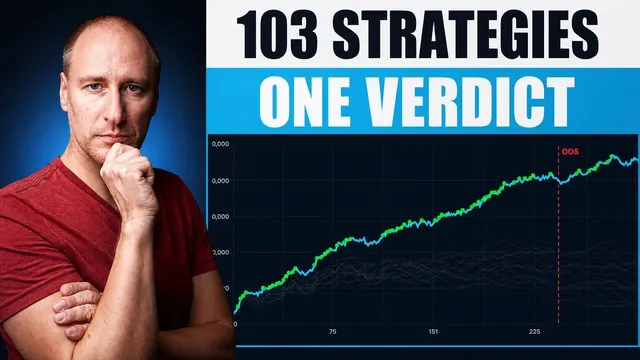
We scored 103 breakout strategies on in-sample data only. 68% scoring 65+ held up out-of-sample, against 48% of those below it.
Read the article →
BreakoutOS Backtest Auditor runs 9 checks against 1,000 similar strategies. Real NASDAQ results: EdgeTest 97, timing sensitivity 74%, market readiness 100/100.
Read the article →