
MetaTrader 5 and TradingView are two of the most-used platforms in forex, and some brokers let you trade from both. MT5 is built to run Expert Advisors; TradingView is built around charts and Pine Script. BreakoutOS exports strategies to both. Here's an honest side-by-side.


Checked against each platform's published information in November 2026. Prices and features change, so check their sites for the latest before you decide.
MQL5, a C++-style language for Expert Advisors. The MQL5 Wizard builds simple EAs from ready-made modules.
Pine Script: TradingView's own language, written for charts and quick to learn. Thousands of free community scripts sit in its Public Library.
Expert Advisors run in the terminal and trade your broker account directly. A hosted VPS keeps them running when your computer's off.
Strategies run on the chart and in the Strategy Tester. To trade one automatically, you send its alerts by webhook (a paid-plan feature) to a broker or service that accepts them.
Your broker's own prices and tick history, so tests run on the feed you trade.
TradingView's data from exchanges and providers worldwide, across stocks, futures, forex and crypto.
| Feature | MetaTrader 5 | TradingView |
|---|---|---|
| Best known for | Forex and CFD trading, and Expert Advisors | Charting in the browser, Pine Script and a large community of shared scripts |
| Who you trade through | Any broker that offers MT5. MetaQuotes doesn't run a brokerage | A broker connected in TradingView's Trading Panel |
| Markets | Forex and CFDs at most brokers. Stocks and exchange futures at some | Charts for stocks, futures, forex, crypto and more worldwide. What you can trade depends on your connected broker |
| Platform cost | Free to download and use. Trading costs depend on your broker | Free Basic plan. Paid plans (Essential, Plus, Premium, Ultimate) by monthly or annual subscription. Some real-time exchange data, including futures, costs extra |
| Strategy language | MQL5 (C++-style) | Pine Script |
| Backtesting | Strategy Tester, with real-tick testing, multi-currency tests, genetic optimization and a forward-test period | Strategy Tester on the chart. Deep Backtesting and Bar Magnifier on Premium and higher plans |
| Walk-forward and Monte Carlo | Not built in: one forward-test period instead | Not built in |
| Automated trading | Expert Advisors trade your broker account directly, with hosted VPS available | Through webhook alerts (paid plans) to a broker or third-party service |
| Scripts and community | MQL5 Market for Expert Advisors and indicators, plus copy-trading Signals | Public Library of free community indicators and strategies |
| Desktop | Windows, plus an official Mac version (it runs through a bundled Wine layer), web and mobile apps | Any browser, desktop apps for Windows, Mac and Linux, plus mobile apps |
| Prop firms | Common with forex and CFD prop firms | Offered by many futures prop firms and some forex and CFD firms. Check with your firm |
Prices and features as of November 2026. MetaTrader 5 trading costs are set by your broker. Check TradingView's plans for current prices and data fees.
We built one breakout strategy in BreakoutOS, exported it as an MQL5 Expert Advisor and as a Pine Script strategy, and backtested it on each platform. Both reproduced the BreakoutOS results closely.
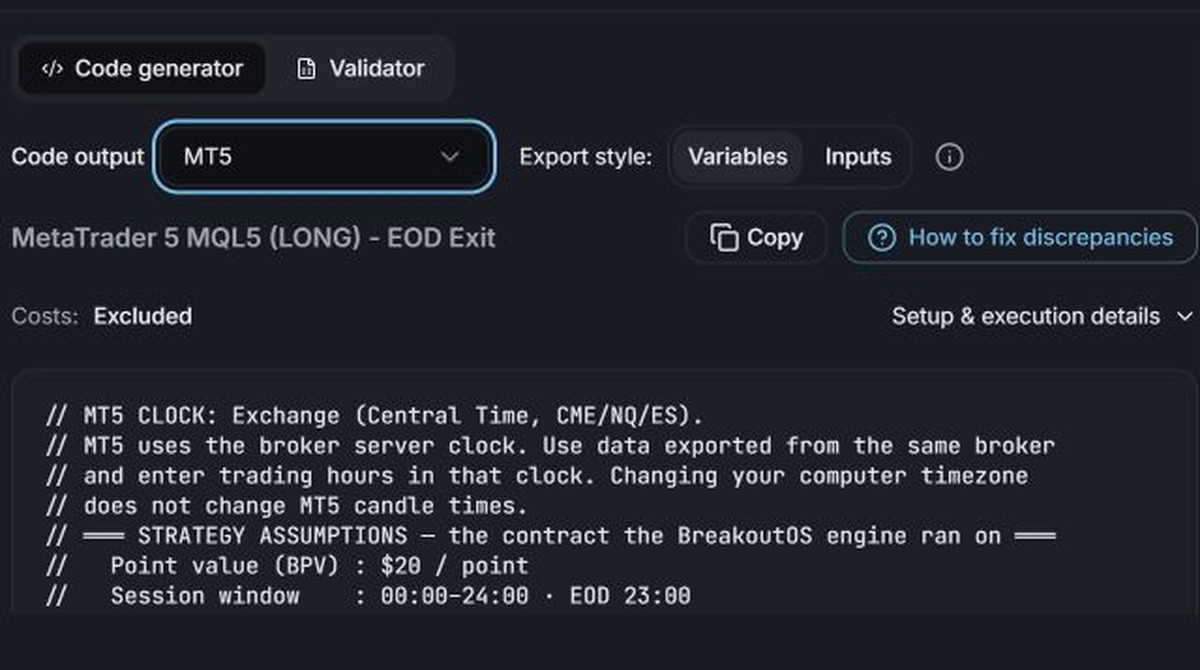
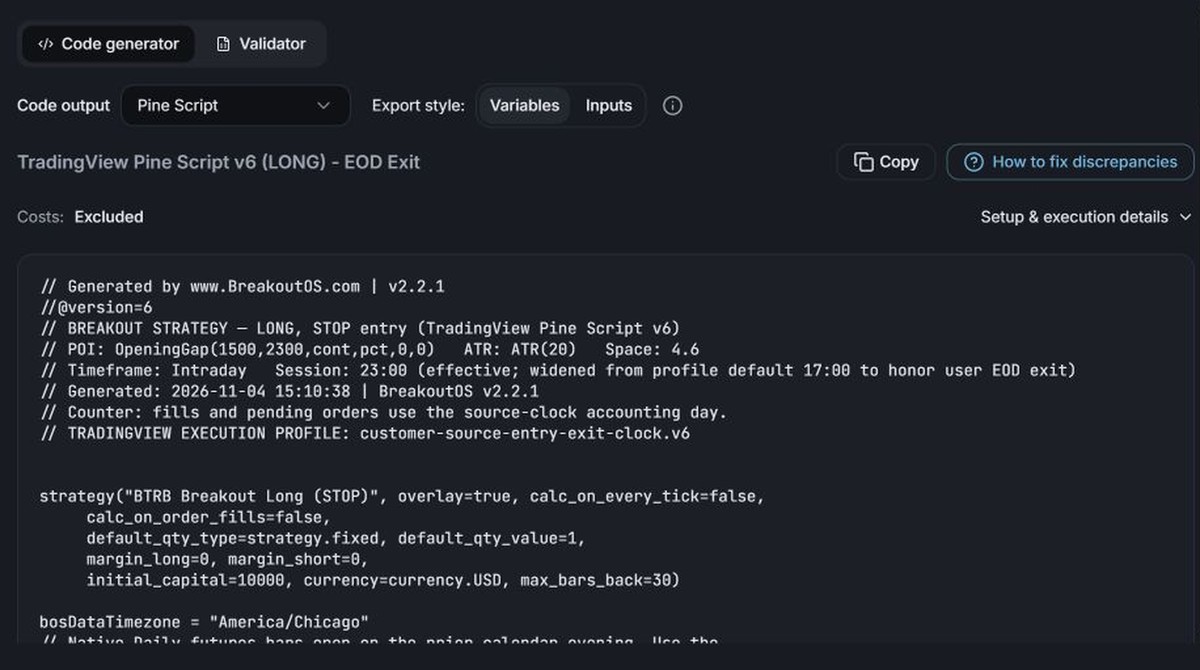
NQ 60-min · Opening Gap · Jun 2011 to Jun 2026 · 1 contract
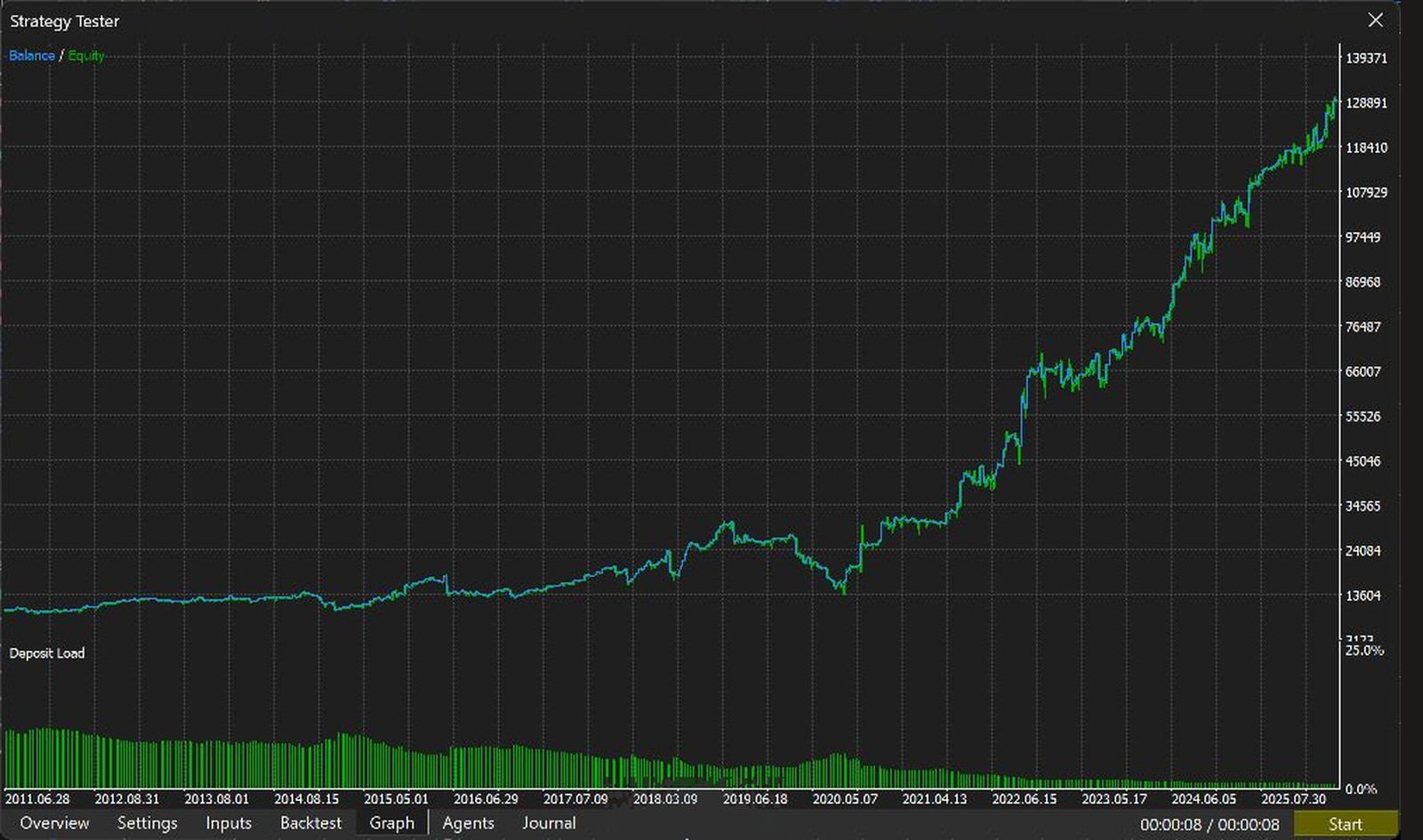 Hypothetical backtest
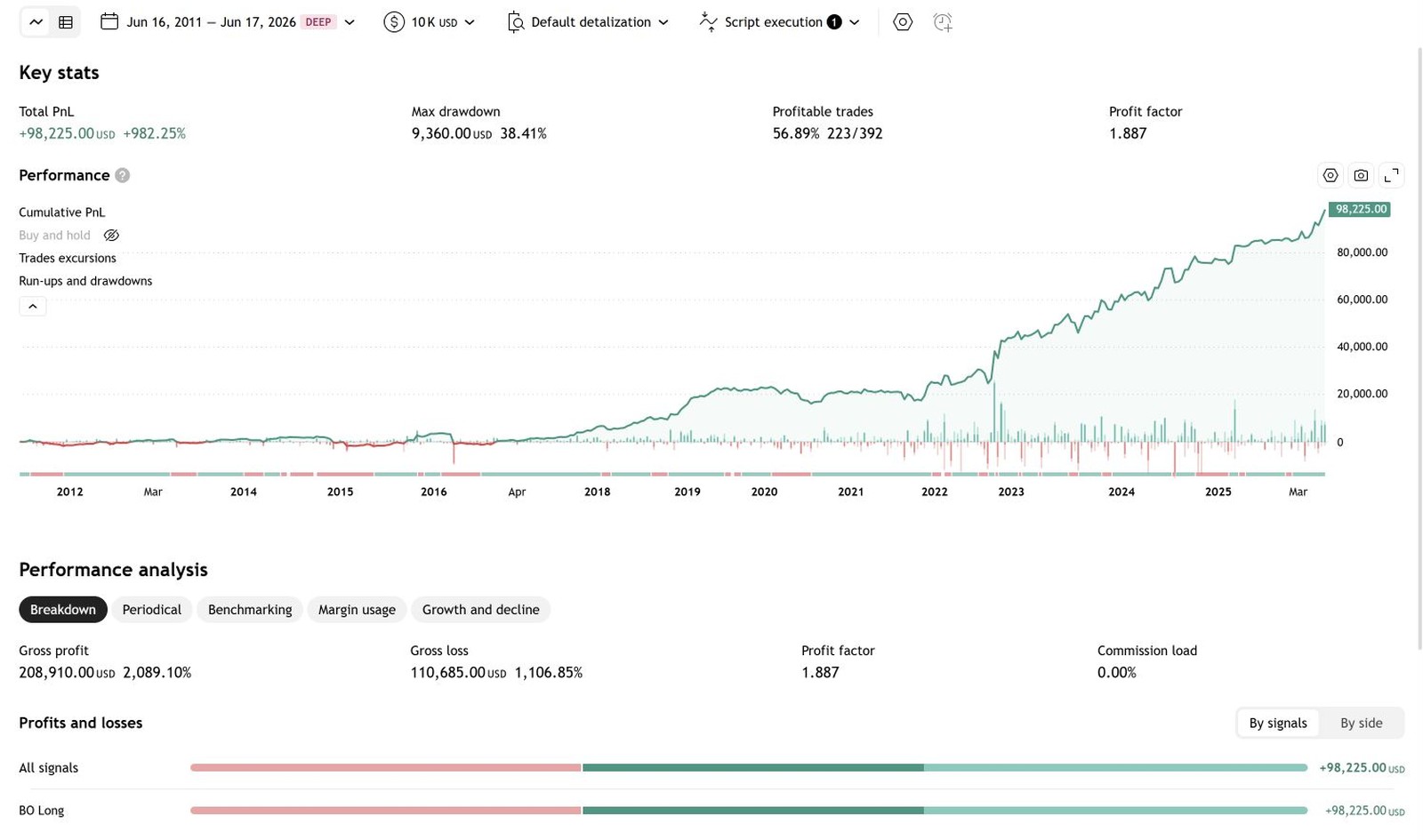 Hypothetical backtest
BreakoutOS's own backtest had 409 trades and 57.5% winners on the data used for MT5, and 393 trades and 57.0% winners on TradingView's own NQ data, which is why the TradingView totals differ. 389 of those 393 trades match TradingView exactly; the rest come from Thanksgiving-week early closes. Small differences on MT5 come from how it handles holidays, shortened sessions and gap fills. Hypothetical backtest results, not live trading. Full results on the MetaTrader 5 and TradingView pages.
Click any screenshot to see it up closeMetaTrader 5 and TradingView both test and run the strategy you give them. BreakoutOS does the jobs around that, and the strategy you build moves with you if you ever switch.
Breakout Radar and Market Mapper show which markets and sessions break out cleanly, and Breakout Trading PRO builds and tests thousands of breakout strategies in minutes, then exports the one you pick as MQL5 or Pine Script.
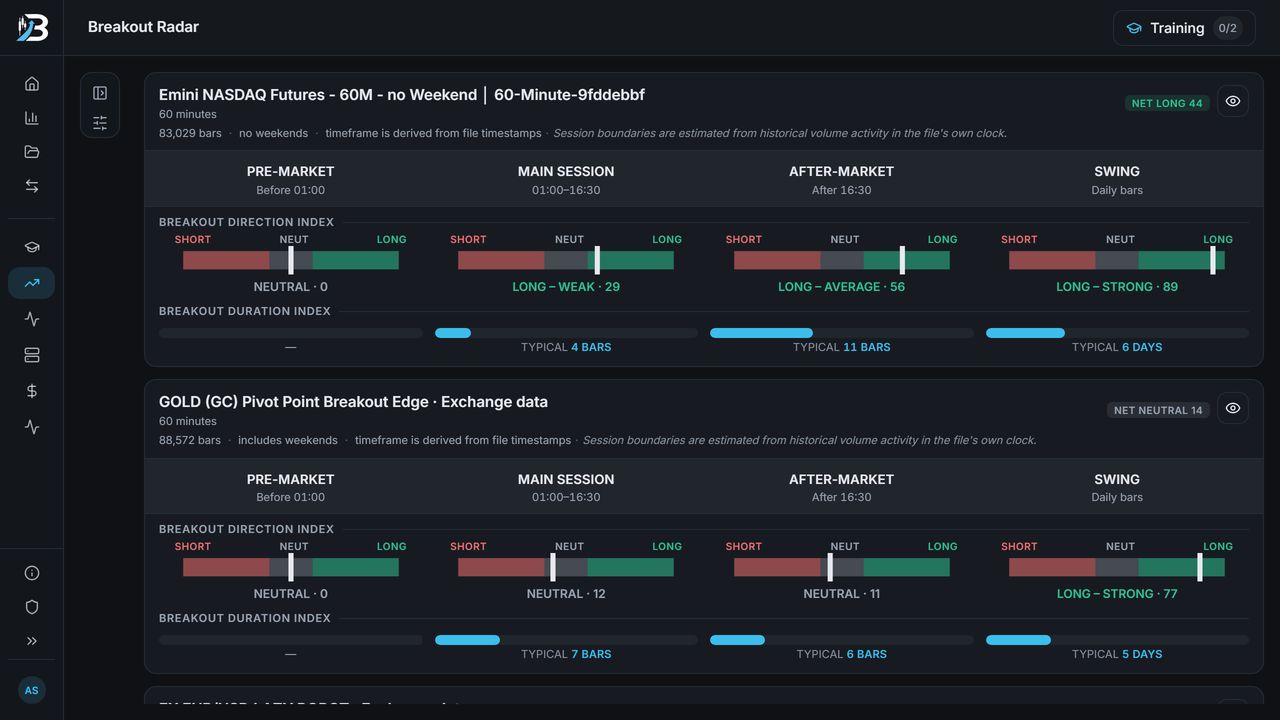
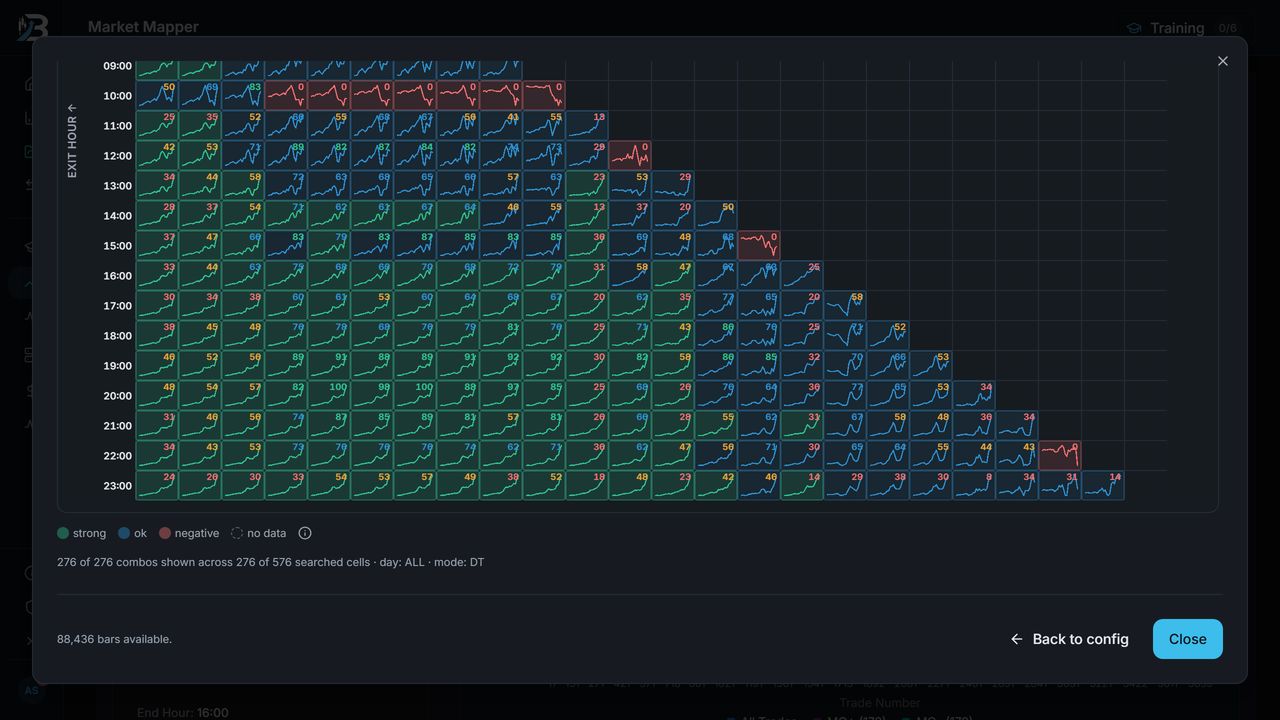
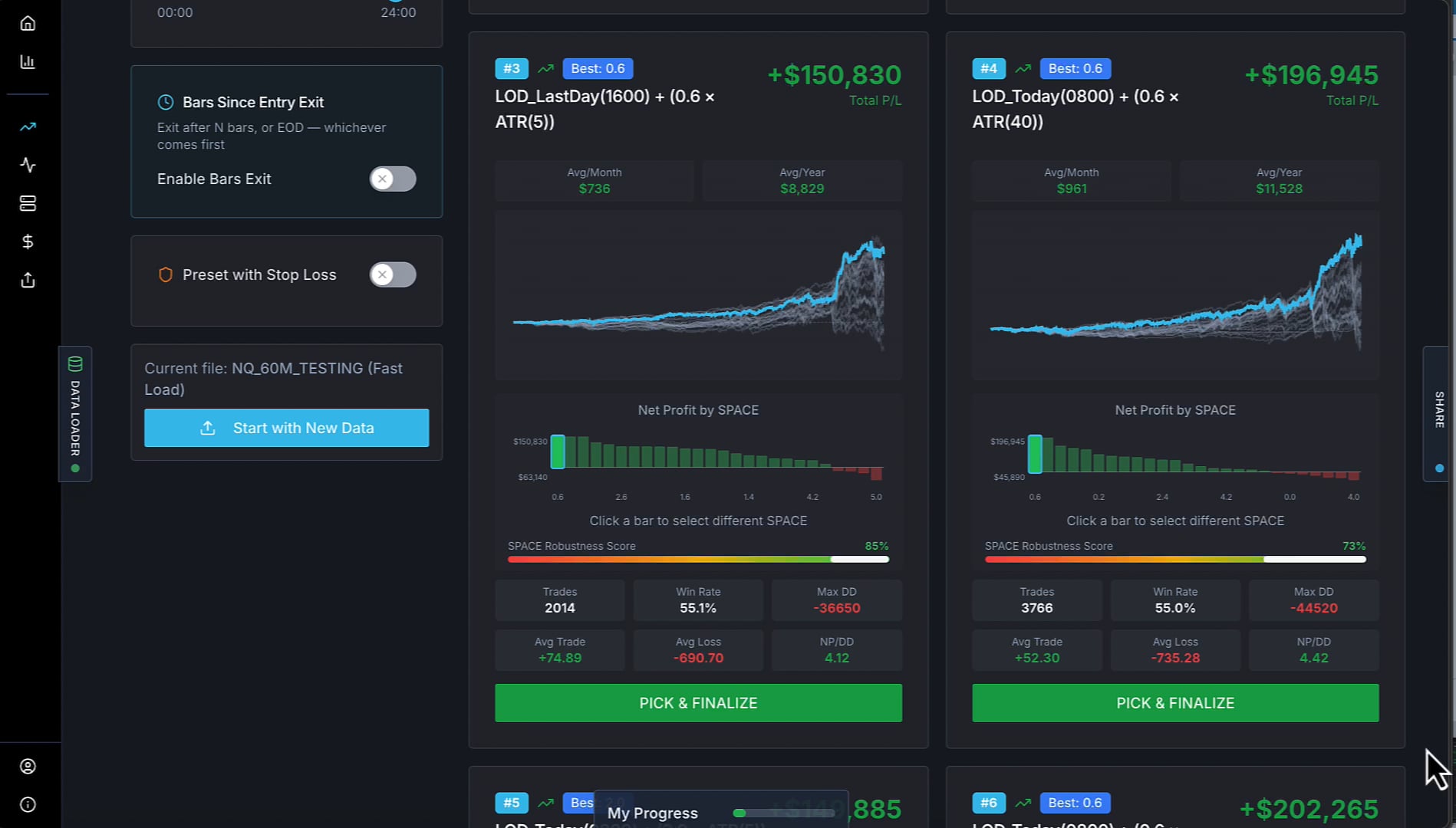
Screenshots show hypothetical backtests.
The Backtest Auditor checks whether a result beats a thousand strategies with the same DNA, MQ Portfolio Builder combines strategies into one portfolio, and the Strategy Health Monitor tells you when a live strategy drifts outside its normal range.


Screenshots show hypothetical backtests.
See everything BreakoutOS can do with MetaTrader 5 or TradingView.
BreakoutOS Build has the four tools you need to go from a market to a strategy, with MQL5 and Pine Script export on every strategy you build.
BreakoutOS Scale has the tools to audit, improve, combine and monitor your MetaTrader 5 or TradingView strategies, plus every Build tool.
Disclosure: Breakout Trading Academy isn't affiliated with MetaQuotes or TradingView. Both platforms are compared on publicly available information as of November 2026.
MetaTrader and MQL5 are trademarks of MetaQuotes Ltd. TradingView and Pine Script are trademarks of TradingView, Inc.